
Pricing table: ramps, groups, recurring and one-time charges, amendments
How the pricing table turns Revenue Cloud quote lines into a clear order summary.
5 sections · 4 screenshots
The Pricing table block lists products, terms and totals. On a template linked to Quote, it fills from the quote's lines when the document is created.
The pricing table block
Add it from Blocks → Pricing table, or type / and choose it. Select it to see its settings in the Block tab. Set Lines to From Salesforce so it fills from the quote.
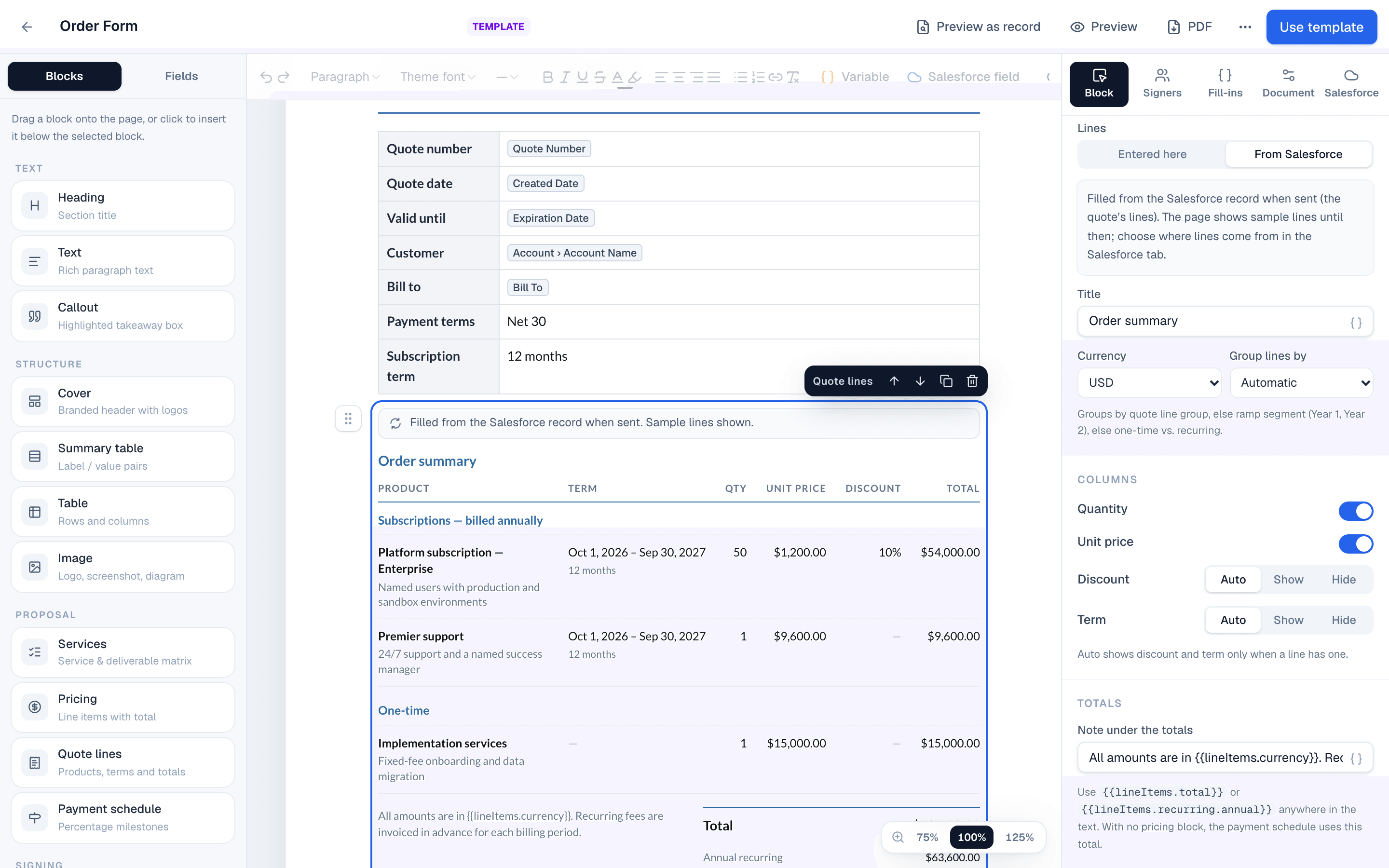
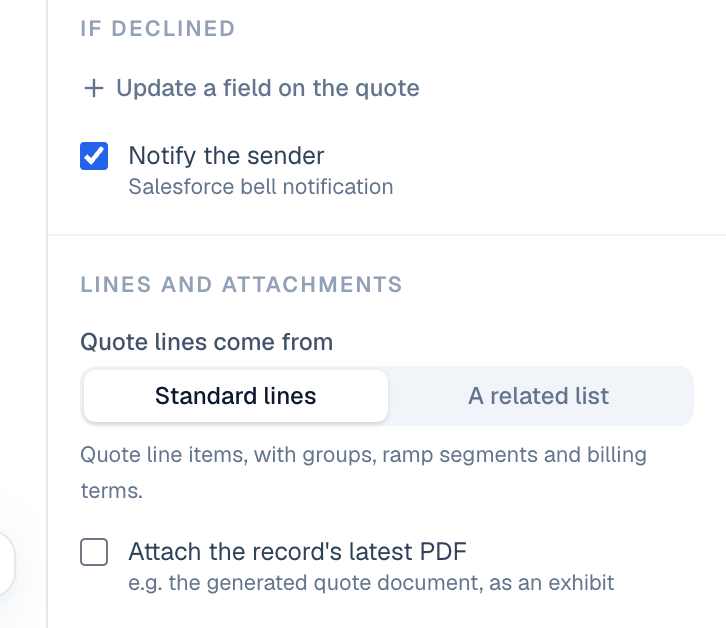
To list something else, like an opportunity's child opportunities, choose that related list in Lines come from. Each record in it becomes a line named after it. Drag an amount, like Amount, onto the table and it becomes each line's total, so the table adds them up. Drag other fields, like Close Date or Stage, to add them as columns.
Recurring and one-time charges
Each line gets a frequency from its selling model and billing frequency:
| On the quote line | On the order form |
|---|---|
| Selling model One Time | One-time |
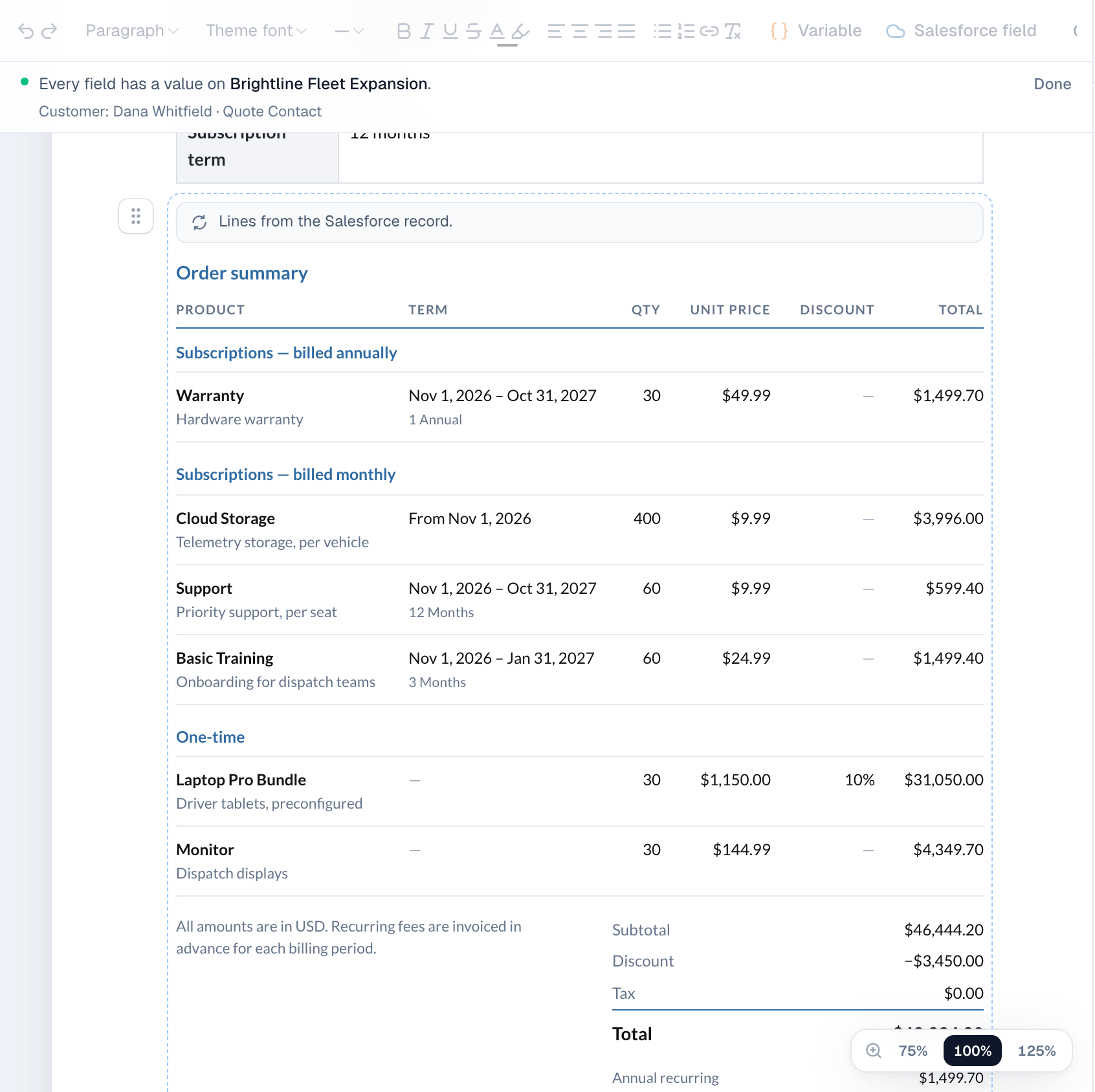
| Billing frequency Monthly, Quarterly, Semiannual, Annual | Subscriptions — billed monthly, and so on |
| Selling model Usage | Usage — billed as used |
| Blank | One-time |
Start and end dates show as the line's term, for example Nov 1, 2026 – Oct 31, 2027. Evergreen lines show From Nov 1, 2026.
Groups and ramps
Group lines by controls the sections of the table:
- Automatic: by quote line group if the quote has groups, otherwise by ramp segment (Year 1, Year 2), otherwise one-time vs. recurring.
- Quote line group: the groups from the quote.
- Ramp segment: one section per segment, for multi-year ramp deals.
- Billing frequency: recurring sections first, then one-time.
- No grouping: one list.
Each section shows a subtotal. Discount and term columns appear only when a line has them.
Amendments and renewals
Lines from amendment and renewal quotes keep their action: Add, Amend, Renew or Cancel. The action is shown next to the product so the customer sees what changes.
Totals
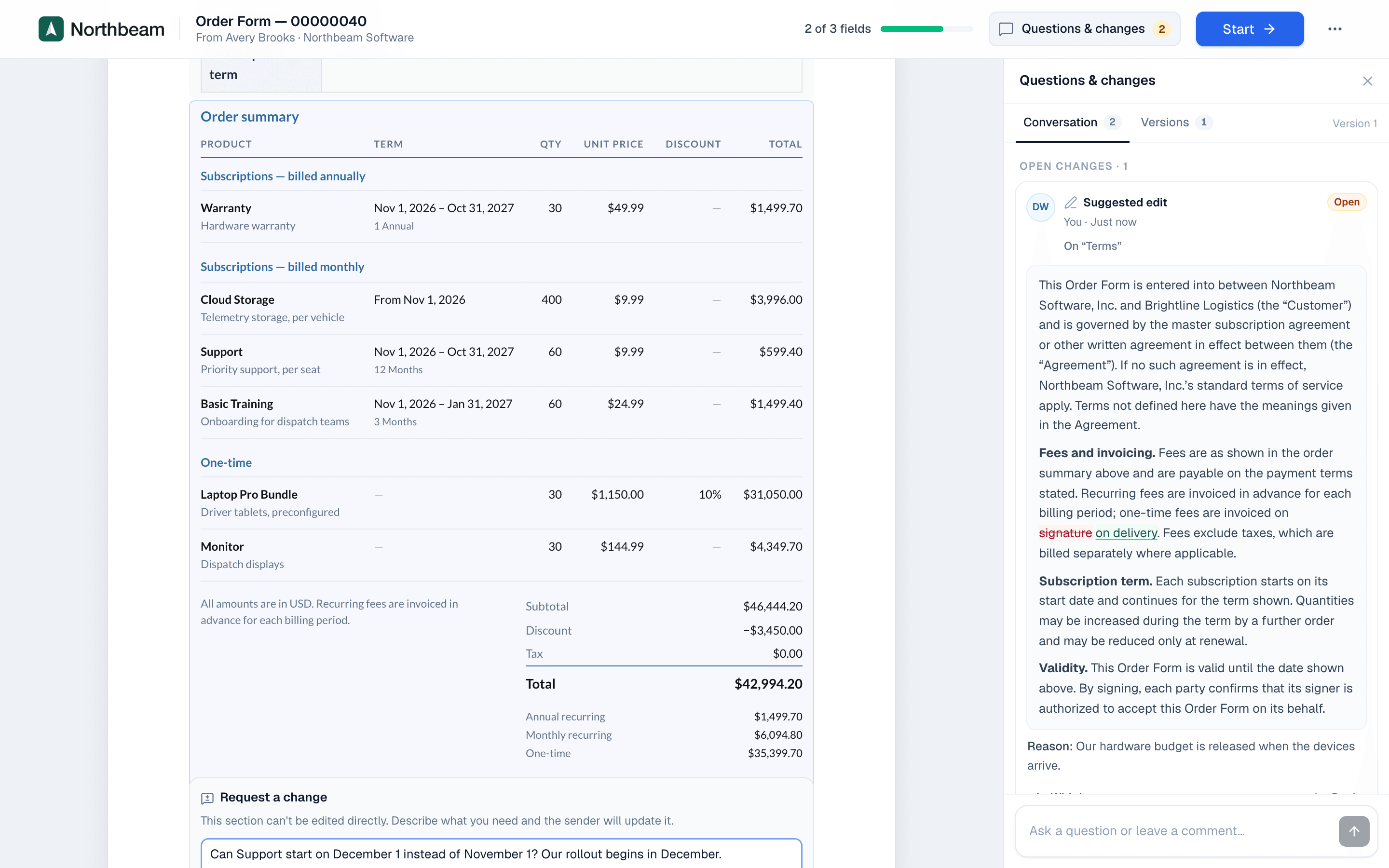
The totals come from the quote: Subtotal, Discount, Tax and Total (Grand Total). Add a note under the totals, for example All amounts are in USD. Recurring fees are invoiced in advance for each billing period.
On the website: Revenue Cloud Advanced·Pricing