
Security and your data
Where your documents are stored, encryption, the audit trail, sign-in options and how long data is kept.
6 sections · 1 screenshot
A short summary for security reviews. The full, binding details are in the Data Processing Addendum, especially Annex II, and the other pages under Legal.
Where data is stored
- Everything is stored in the United States. The app and its database run on Railway in its US West region (California), and signed PDFs, exhibits, uploads and images are in private file storage in San Jose, California. There's no choice of region.
- Emails are delivered by Resend. The assistant's requests go through OpenRouter to the host running the AI model, only when someone uses the assistant.
- The full list, with what each one handles, is on Subprocessors.
Encryption
- In transit: the app, signing pages and API are served only over HTTPS, and Tally Sign connects to Stripe, Resend, Salesforce, identity providers and the AI provider over HTTPS.
- Salesforce tokens, single sign-on client secrets and the AI provider key are encrypted with AES-256-GCM. Passwords are stored only as salted scrypt hashes, and API keys, invite links and reset links only as hashes.
- Documents, signatures and PDFs are stored with the hosting provider under its security controls. Tally Sign doesn't add its own encryption on top of that.
- Card numbers never reach Tally Sign: payments are handled by Stripe.
Audit trail and tamper checks
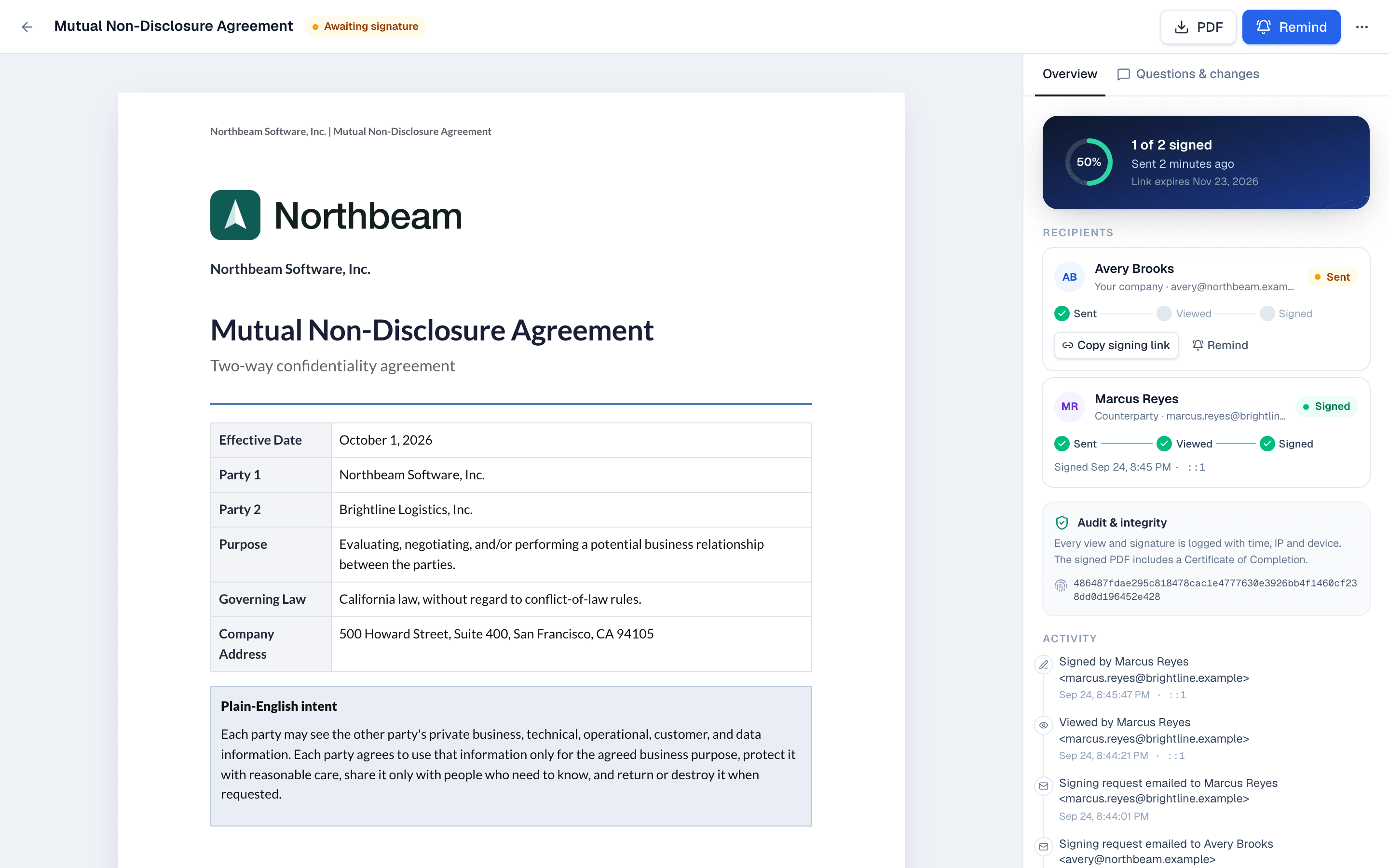
- When a document is sent, its content and exhibits are frozen and fingerprinted (SHA-256). Signing is refused if the content changed after the signer's page loaded.
- Every link open, view, consent, signature, decline, reminder and void is logged with the time, and signer actions with IP address and device. Signers must agree to sign electronically before filling in anything.
- The signed PDF ends with a Certificate of Completion listing those events, and its own hash is recorded. Completed and declined documents can't be edited or deleted.
Sign-in and access
- People sign in with email and password, Google, Microsoft, Salesforce, or your own identity provider through single sign-on (SAML or OpenID Connect), which is on every plan. You can require it for everyone but the owner.
- Tally Sign has no multi-factor sign-in of its own. To require it, use single sign-on and turn it on in your identity provider.
- Everyone gets an email when their account signs in from a browser it hasn't seen before. Changing or resetting a password signs out every other browser.
- Roles decide who manages what: see Team and roles. Requests from your team, your API keys and the Salesforce package only reach your own company's data.
How long data is kept
- While your account is active, nothing is deleted unless you delete it. Drafts and voided documents can be deleted; completed and declined documents can't.
- An account that stays paused for 6 months (see Billing) is deleted, with emails to the owner 30 and 7 days before. The owner can also download every signed document or delete the company in Settings → Company.
- Deleted data can stay in database backups for up to 3 months, and in server logs for up to 30 days, before it's gone.
- Signed PDFs can be downloaded at any time, even while an account is paused.
AI, certifications and the legal pages
- Your data isn't used to train AI models. The assistant works only on drafts, templates and email designs, and conversations aren't stored. You can ask for it to be turned off for your company.
- Tally Sign doesn't have a SOC 2 report or ISO 27001 certification. Annex II of the DPA lists what's in place and what isn't yet.
- The legal pages: Terms of Service, Privacy Policy, Data Processing Addendum, Subprocessors, Electronic Records and Signature Disclosure, Acceptable Use Policy and Cookie Notice.
On the website: Pricing