
Get help: ask a question or talk to a person
Ask the support assistant and get the steps with screenshots, show it a screenshot of where you're stuck, or send your question to the support team.
3 sections · 3 screenshots
Support has every guide, an assistant that answers from them, and the support team. Open it from Support in the app's sidebar, or at tallysign.com/support. You don't need to be signed in.
Ask a question
- Open Support. On a guide page, choose Ask a question in the bottom-right corner.
- Type what you're trying to do or what went wrong, for example
My customer didn't get the signing email, and pressEnter. Or pick one of the suggested questions. - Read the answer: the steps, the screenshot from the guides that goes with them, and a link to the guide under Read more.
- Ask a follow-up in the same box. New question starts over.
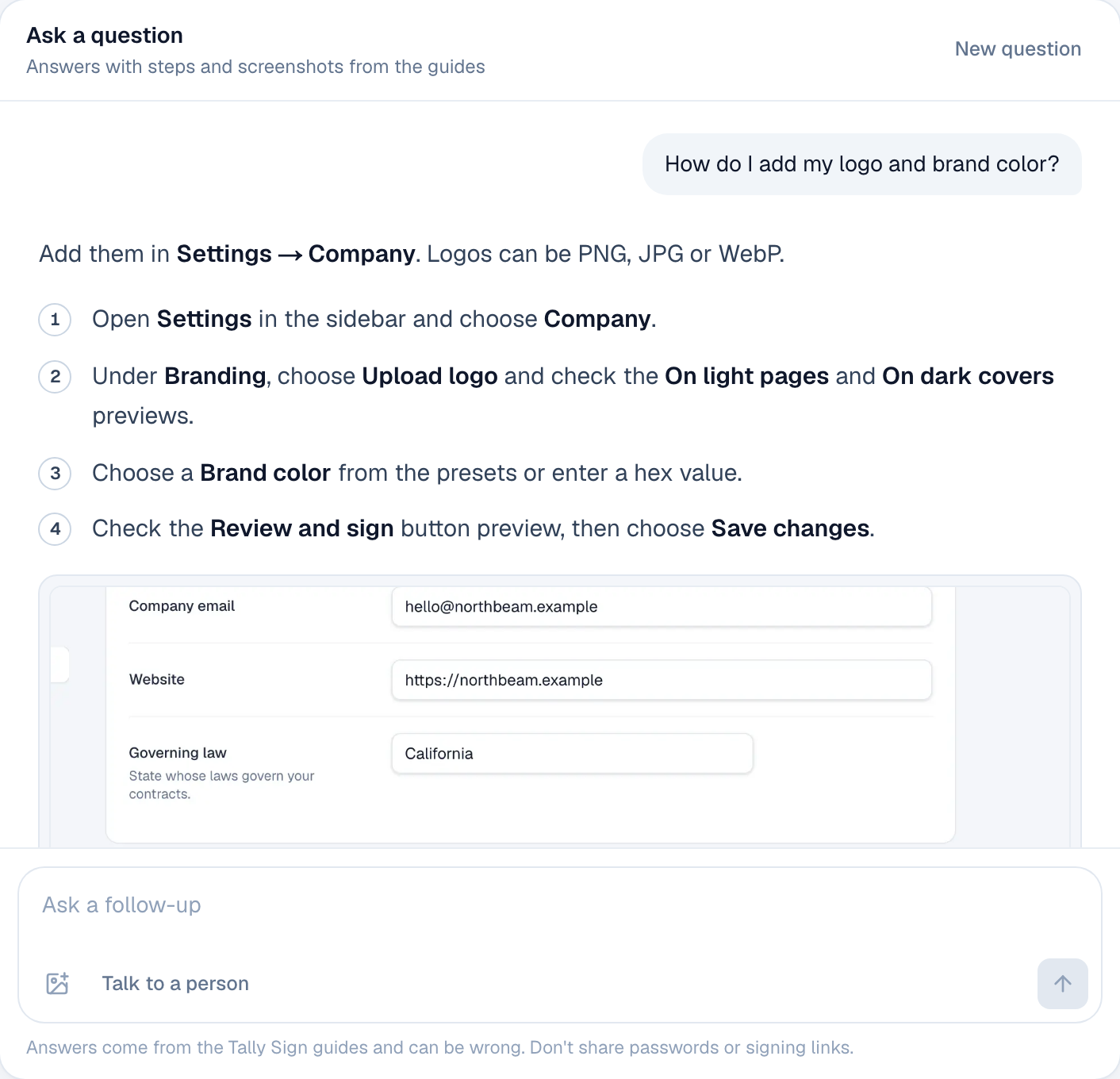
The conversation stays while the browser tab is open, so you can follow a link to a guide and pick it up again from Ask a question there.
Show it a screenshot
If you're stuck on a screen, show the assistant. It says which screen you're on and gives the next steps from there.
- Take a screenshot of the screen.
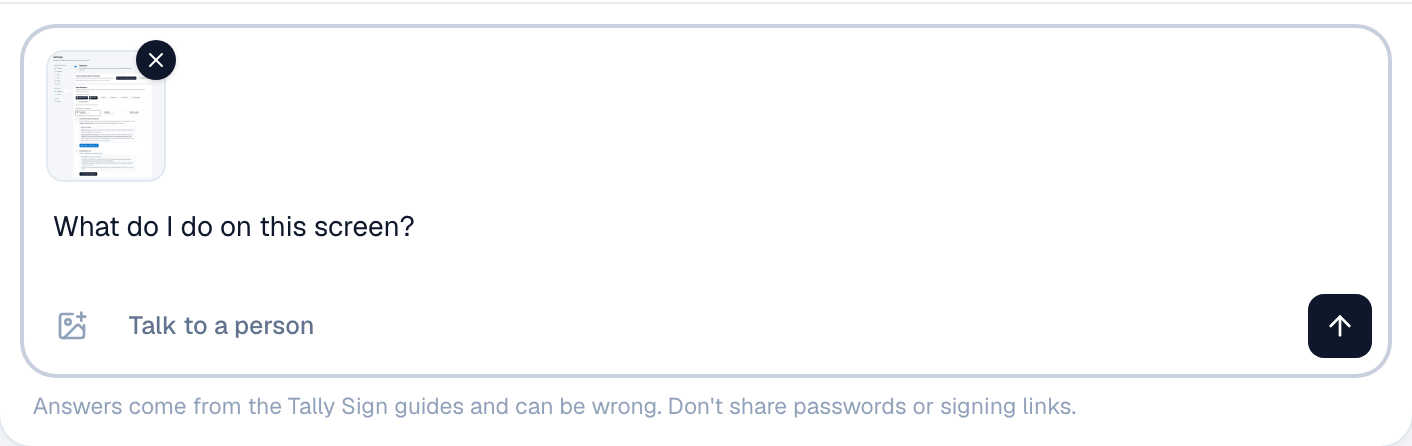
- Drop it on the chat, paste it into the question box, or choose the picture button next to Talk to a person. Up to four at a time.
- Add your question, for example
What do I do on this screen?, and send it.
Talk to a person
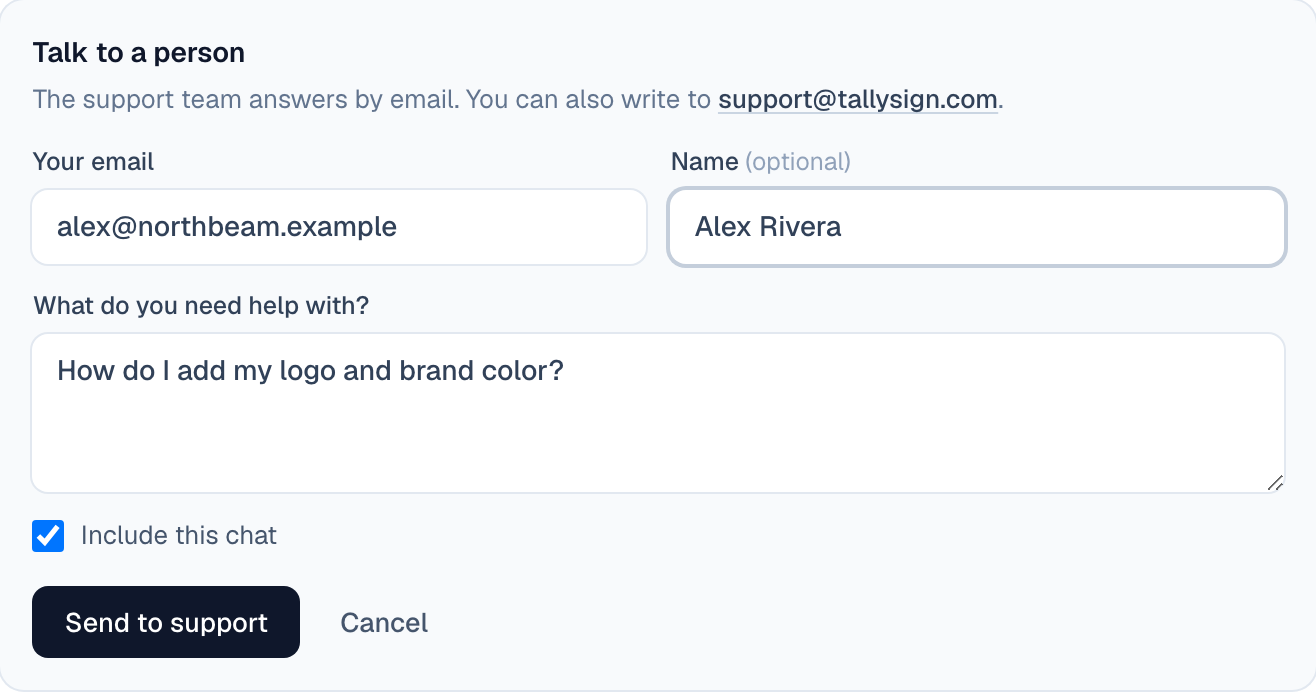
The support team answers by email. Sending from the chat gives them your question, the conversation and your screenshots, so you don't have to explain it twice.
- Choose Talk to a person under the question box.
- Enter Your email. When you're signed in, it's filled in.
- Check What do you need help with?. It starts as your last question.
- Leave Include this chat ticked (it sends your screenshots too), or untick it to send only your message.
- Choose Send to support. The team replies to your email.
You can also email the support address shown under Talk to a person on the Support home. If you received a document to sign, the company that sent it is the best first contact: reply to the signing email.
On the website: No CRM needed·Pricing