
Use the REST API
Create an API key, then create documents from your templates, send them, follow each signer, get what they filled in, download the signed PDF and get webhooks, from your own systems, Zapier or Make.
7 sections · 2 screenshots
Tally Sign has a REST API for your own systems: a CRM or billing tool you built, a script, or Zapier and Make. It does what the app does with your templates: create a document, send it, remind, void, see who has signed, get what each signer filled in and download the signed PDF. Webhooks tell your system the moment something happens. Every developer detail is on the developer page.
Create an API key
Only owners and admins create keys. Give each system its own key, so you can tell them apart and revoke one without touching the others.
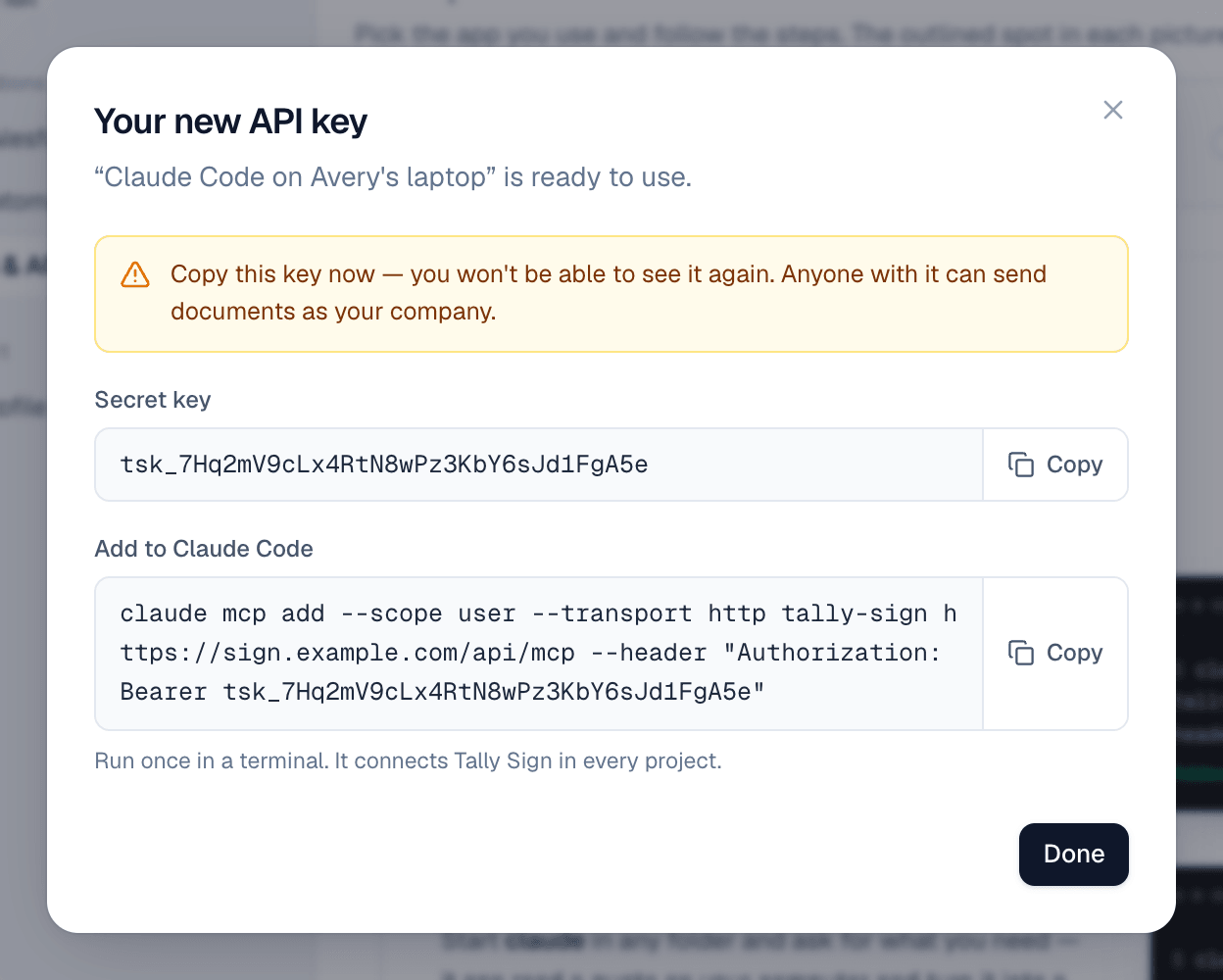
- Open Settings → AI & API and choose Create key under API keys.
- Name it after where it will be used, for example
Billing systemorZapier, and choose Create key. - Copy the key now. It's shown once. Try the REST API has a command that checks it: it answers with your company's name.
Send a document from a template
Documents start from a template you made in Tally Sign. Ask for your templates to see each one's roles (who signs) and variables (what to fill in), then create the document:
curl https://app.tallysign.com/api/v1/documents \
  -H "Authorization: Bearer $TALLY_API_KEY" \
  -H "Content-Type: application/json" \
  -d '{
    "templateId": "<template id>",
    "title": "Mutual NDA — Brightline Logistics",
    "variables": { "nda.effectiveDate": "October 4, 2026" },
    "recipients": [{ "role": "client", "name": "Dana Whitfield", "email": "dana@brightline.example", "company": "Brightline Logistics" }],
    "send": true
}'- Your own side fills itself from the key's person and your company profile, the same as in the app.
- With `send: true` it goes out right away. If something is missing, like an email or a required variable, nothing is created and the answer lists what to fix.
- Without it you get a draft. Open its
urlto check it in Tally Sign, or send it later through the API.
The document shows in Documents like any other, with Created through the API in its activity. Reminders, automations, the signed PDF and the Certificate of Completion all work the same.
Follow it and download the signed PDF
- Ask for a document to see its status, each signer's status, when they viewed and signed, and the activity.
- List documents by status or by when they last changed, for example everything completed since yesterday.
- Once it's completed, download the PDF: the signed document with its Certificate of Completion at the end.
- Remind everyone still waiting, or one signer, and void a document that's out for signature.
Get what signers filled in
Once a signer signs, the document lists what they entered in each field: under each recipient as fields (the field's label, type and value), and the same values as one flat fieldValues list named by label, ready to become columns in a spreadsheet. Webhooks for signed and completed carry them too.
"fieldValues": {
  "Number of employees": 240,
  "Region": "North America",
  "Disclosures start": "2026-10-15",
  "Share with affiliates": false,
  "Certificate of insurance": "Brightline COI 2026.pdf"
}- Only after they sign. What someone types before signing isn't agreed to, so a signer's values stay empty until they finish.
- Typed values: numbers as numbers, checkboxes as true or false, a dropdown or radio as the option chosen, dates as
2026-10-15. Signatures and initials aren't listed, nor conditional fields that stayed hidden. - Named by the field's label. Give fields clear labels in the template, such as
Number of employees. A field without one is named by its type, likeText; a label used twice by one signer becomesLabel (2). - On the document,
fieldValueshas every signer's values together. When two signers have a field with the same label, each is named with their role first, likeCounterparty: Company.
Files signers uploaded are listed with their name, size, type and SHA-256 fingerprint, and a link that downloads them with your API key:
curl -L https://app.tallysign.com/api/v1/documents/<document id>/files/<file id> \
-H "Authorization: Bearer $TALLY_API_KEY" -OJGet told when it's signed
Instead of asking again and again, subscribe a URL to the events you care about: sent, viewed, signed, completed, declined, voided or expired. Tally Sign posts each event to it, signed with a secret so your system can check it came from Tally Sign. If your URL doesn't answer, Tally Sign tries again for about a day.
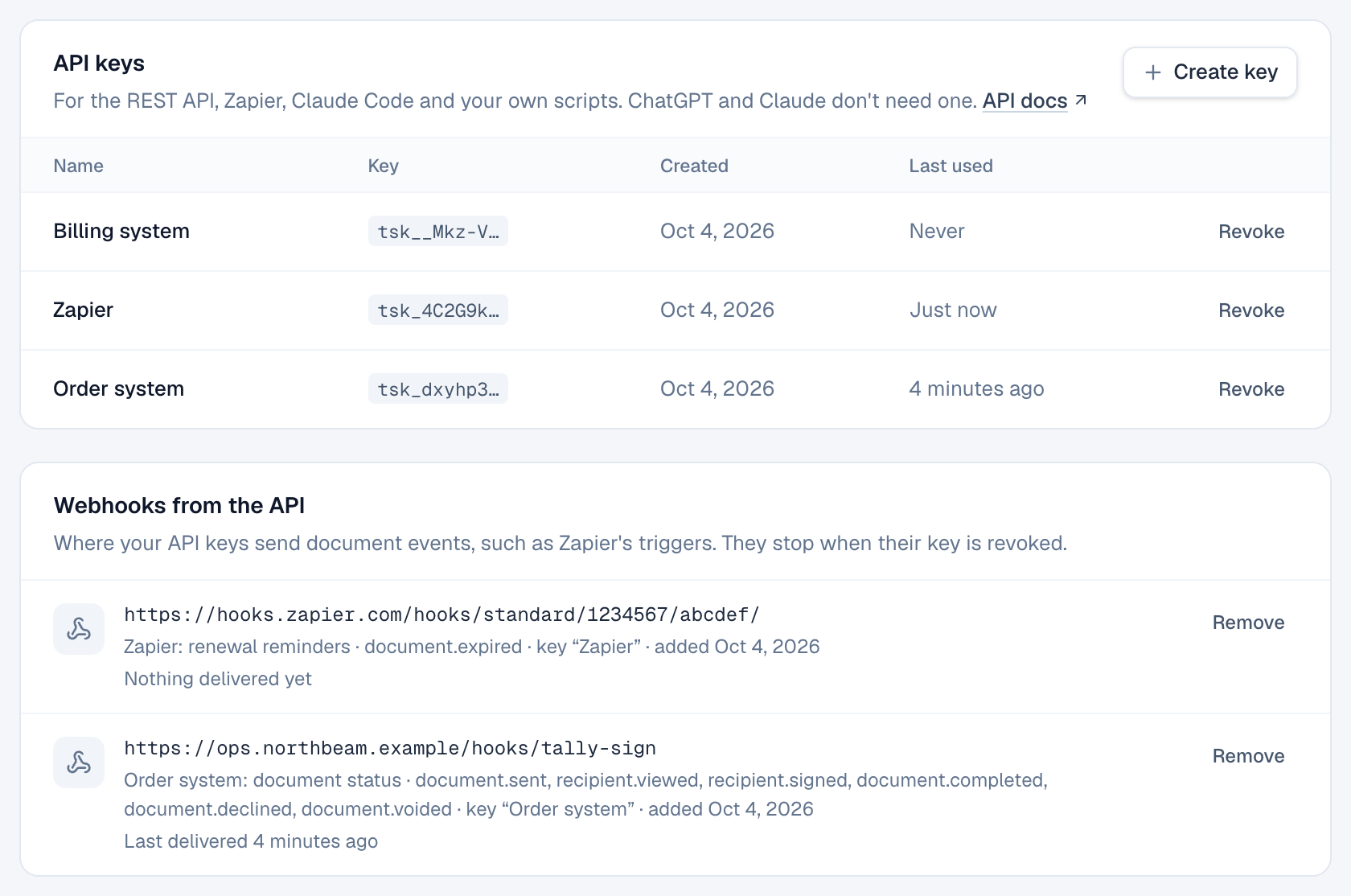
Admins see every subscription in Settings → AI & API → Webhooks from the API: where events go, which key made it, and whether the last delivery worked. Remove stops one. Revoking a key removes its subscriptions.
Zapier and Make
Zapier and Make work with Tally Sign today through webhooks and the API:
- When a document is signed: in Zapier, start a Zap with Webhooks by Zapier → Catch Hook (in Make, a Custom webhook) and add its URL to an automation's Send to a webhook step, or subscribe it through the API. What signers filled in arrives as
fieldValues: map each value to a column, for example in a Google Sheets Create Spreadsheet Row step. - Send a document: add a Webhooks by Zapier → Custom Request step (in Make, HTTP → Make a request) that calls the API with your key, as above.
Signing inside your own product
To let someone sign on your website or on a device you hand them, send the document, then ask the API for that signer's signing link and open it in their browser. It works while it's their turn to sign. Each link handed out this way is recorded in the document's activity and on the certificate.
On the website: ChatGPT, Claude and MCP·Pricing