
Public signing links
One link to a template that anyone can open to fill in and sign their own copy: an NDA on your website, a waiver, a client intake agreement.
6 sections · 9 screenshots
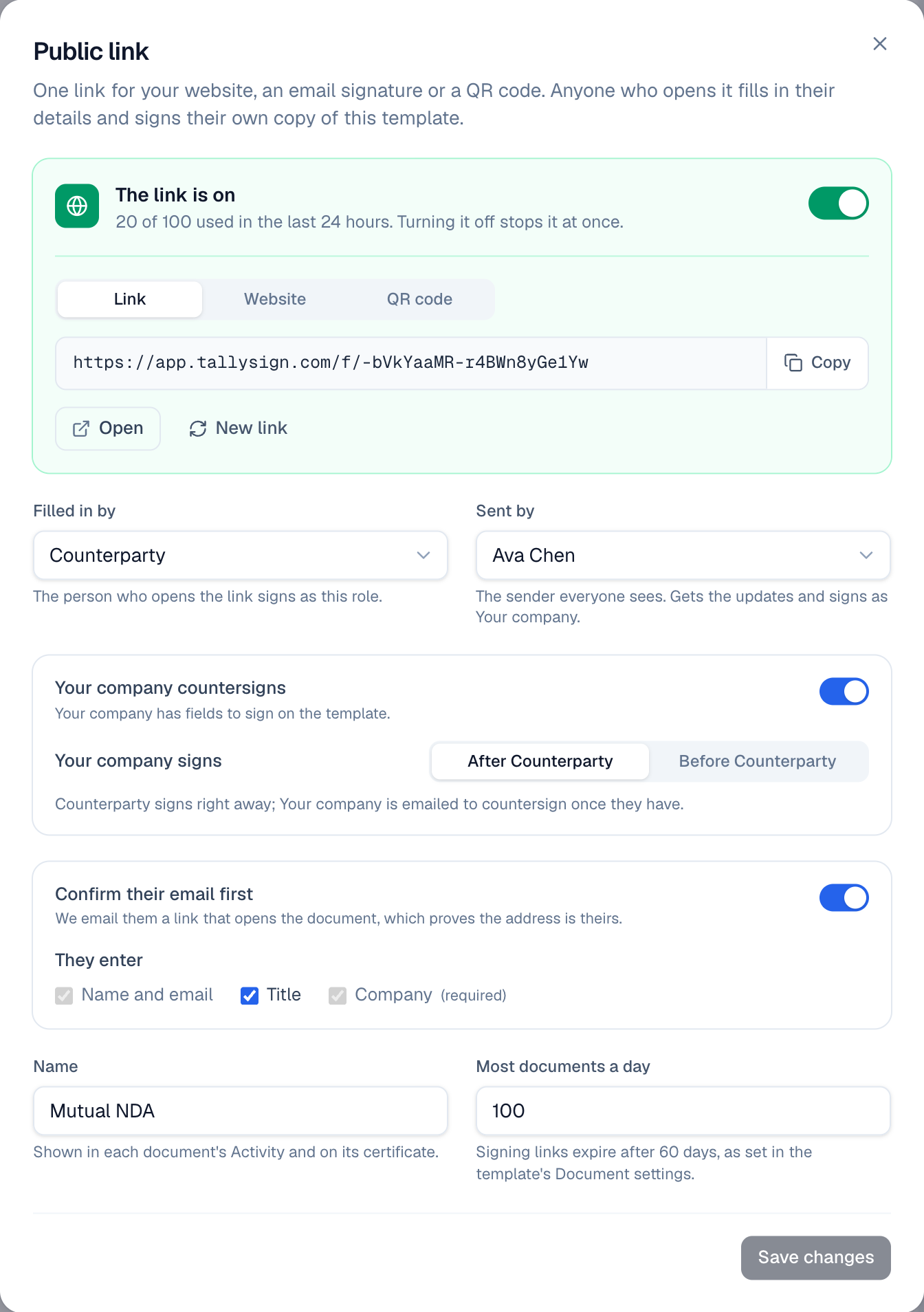
A public signing link lets people come to you. Put one link on your website, in an email signature or on a QR code at the front desk. Whoever opens it enters their name and email, and gets their own document from the template to sign. Each one is a normal document: it shows in Documents, has its Activity and Certificate of Completion, and sends the usual emails and automations.
Turn on a template's link
- Choose Templates in the sidebar, then Edit on the template. (Or choose … on the template card, then Public link.)
- Choose Public link at the top of the editor.
- Check the settings below the link (see Choose how it works), then switch the link on.
- Choose Copy and share the link, or choose Open to see it as your visitors will.
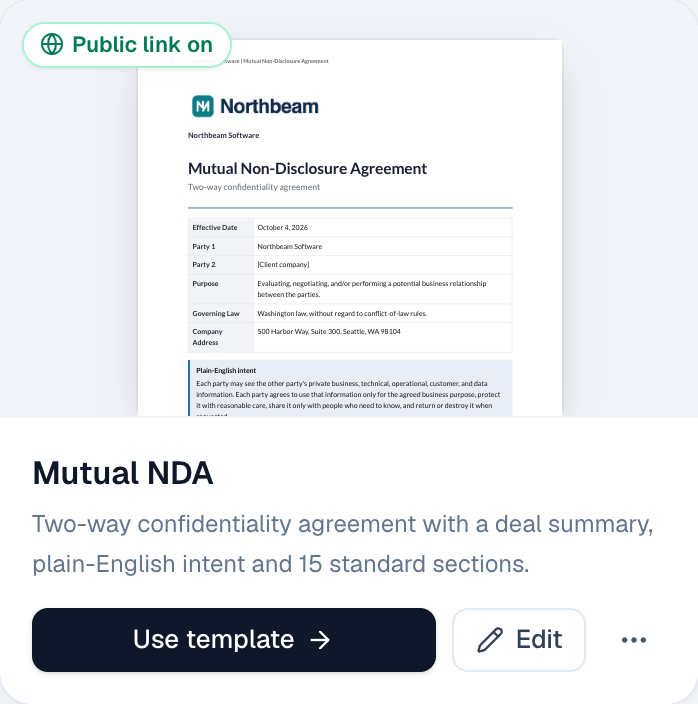
A template with a live link says Public link on on its card in Templates.
Choose how it works
- Filled in by: the template role the person who opens the link signs as, usually your customer.
- Sent by: the team member everyone sees as the sender. They get the updates about each document, and when the template has a signer for your company, they sign as that role.
- Your company countersigns: your company's signer signs each document, After the person (most common) or Before them. When the template has no fields for your company's signer, you can turn this off and they get a copy instead.
- Confirm their email first (on by default): we email the person a link that opens their document, which proves the address is theirs. Turned off, they sign right away and the certificate says their email address wasn't confirmed.
- They enter: name and email always, and their title and company if you want them. When the template prints them (for example {{client.company}}), they're required.
- Name: shown in each document's Activity and on its certificate.
- Most documents a day: the link stops taking new people for the day when it's reached (100 unless you change it, up to 1,000).
Choose Save changes. Changes apply to the next person who opens the link. Changes to the template itself apply the same way, so you can fix a typo without making a new link. How long signing links last comes from the template's Document settings.
Share it: link, website or QR code
- Link: copy the address. It's long and random, so nobody finds it by guessing.
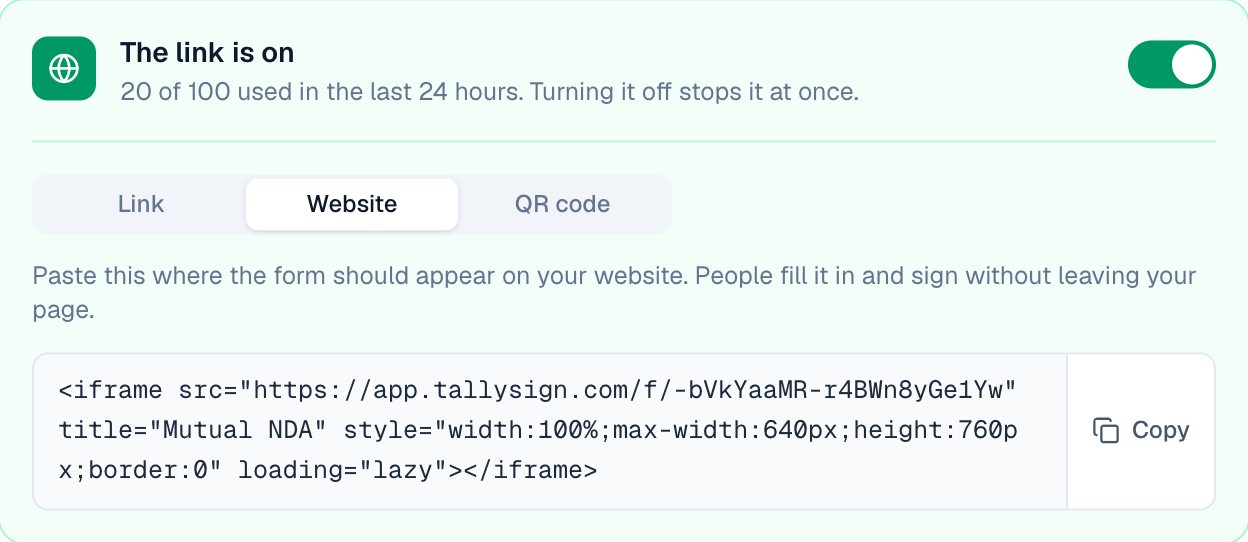
- Website: copy the embed code and paste it into your page. People fill in the form and sign inside your page, without leaving your website.
- QR code: choose Download PNG for a printout or a screen. Phones open the link with the camera.
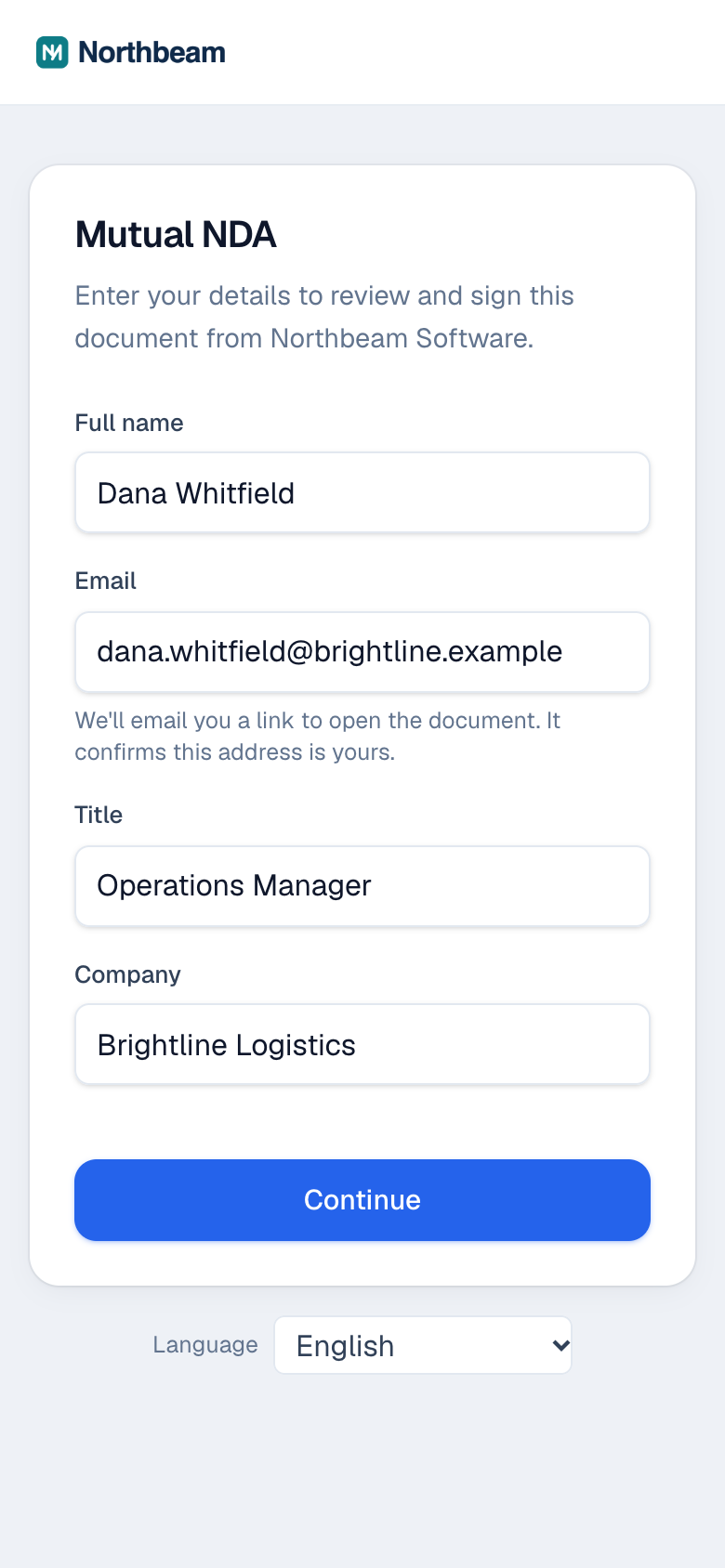
The page shows your logo and company name, not ours, and works on phones. Visitors can switch it to English, Spanish, French, German or Portuguese; it opens in the template's signer language, or their browser's.
What happens next
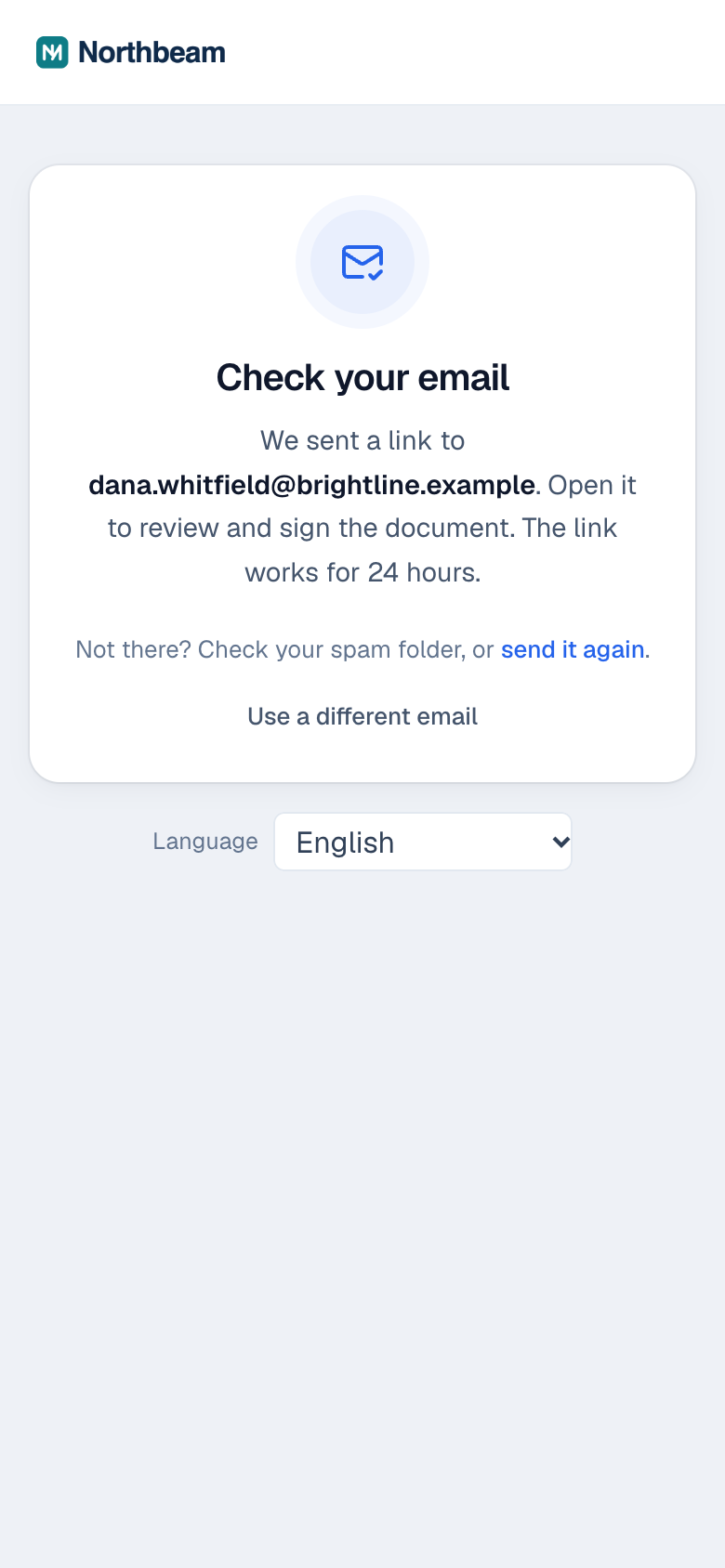
With Confirm their email first on, the person sees Check your email after they choose Continue. The email comes from your company, with your logo, and its button opens their document. The button works for 24 hours, and opening it again later brings them back to the same document.
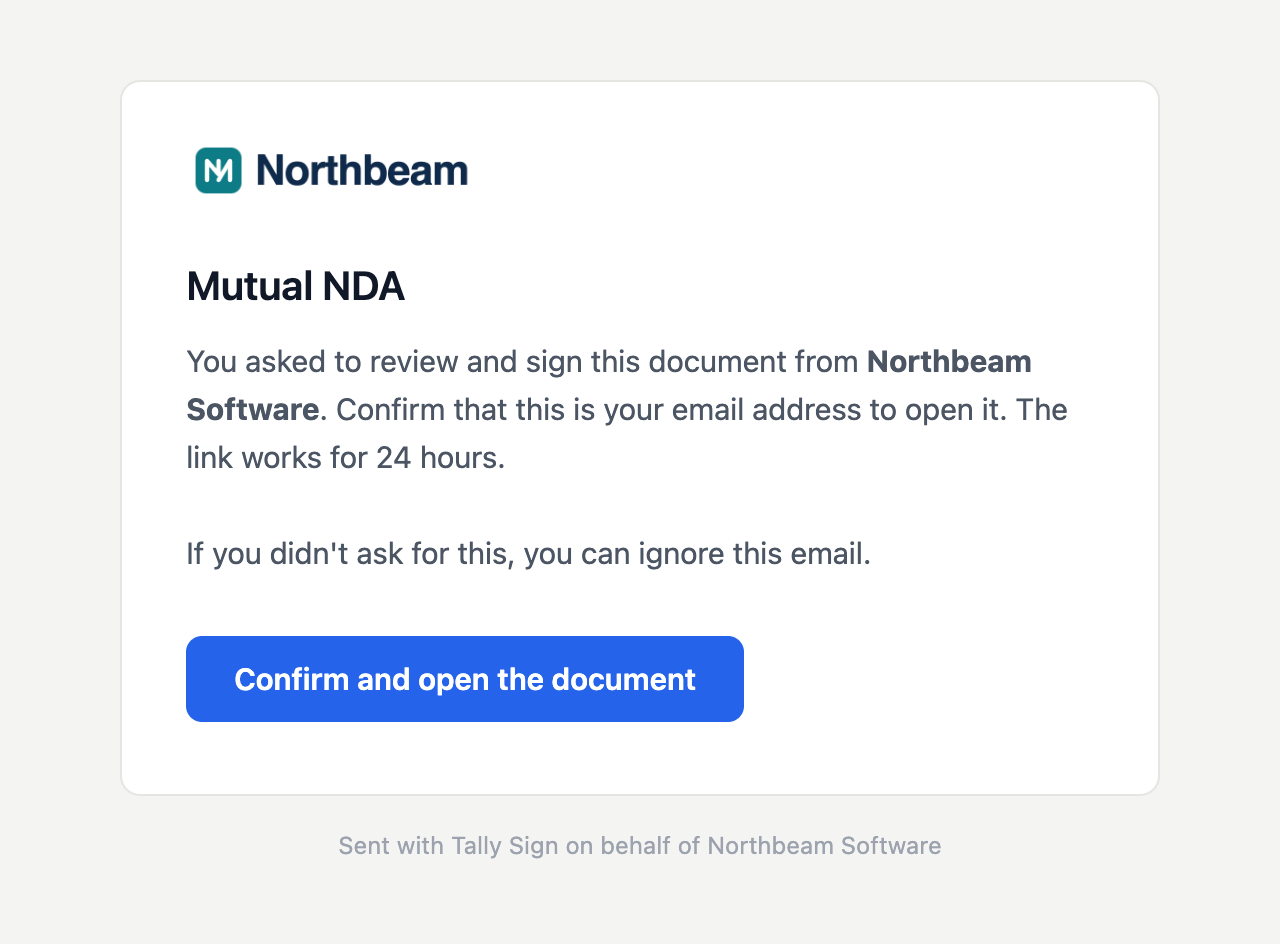
Then they sign on the usual signing page. With your company countersigning after them, the sender is emailed to countersign once they've signed. When everyone has signed, everyone gets the signed PDF.
Find the documents
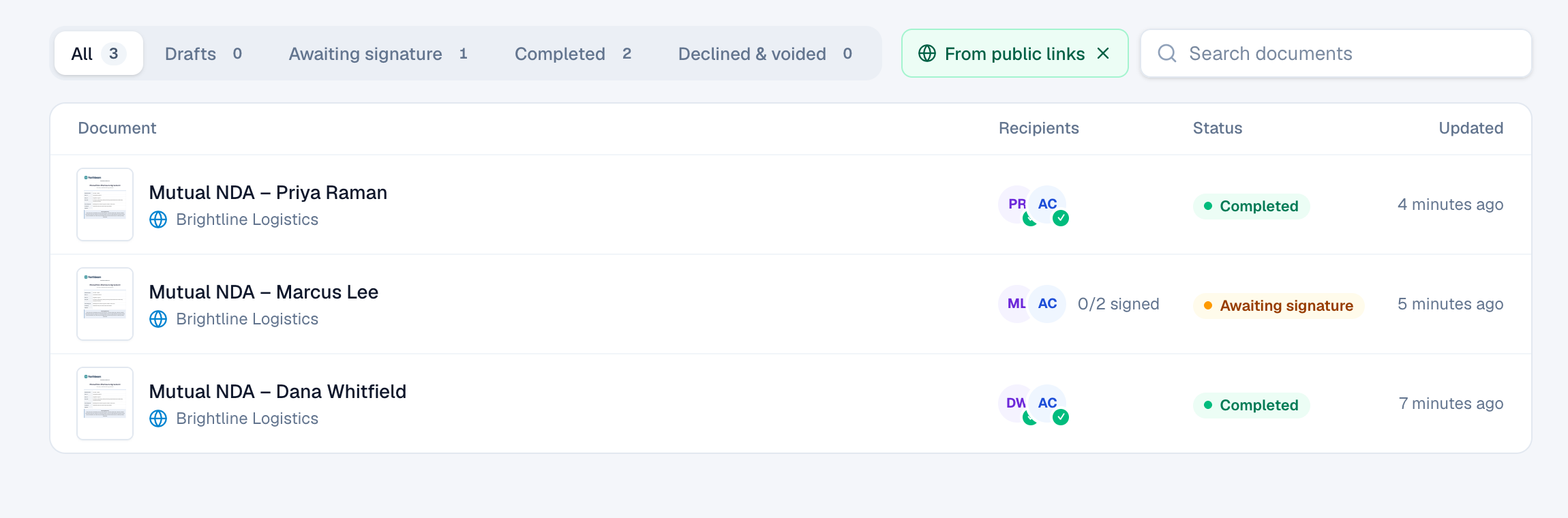
Each person's document is called after the template and their name, for example Mutual NDA – Dana Whitfield, and has a globe icon in Documents. Choose From public links above the list to see only those.
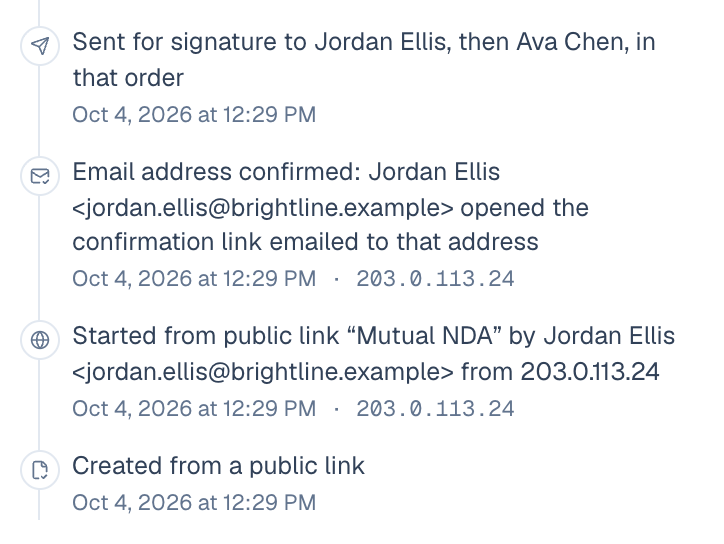
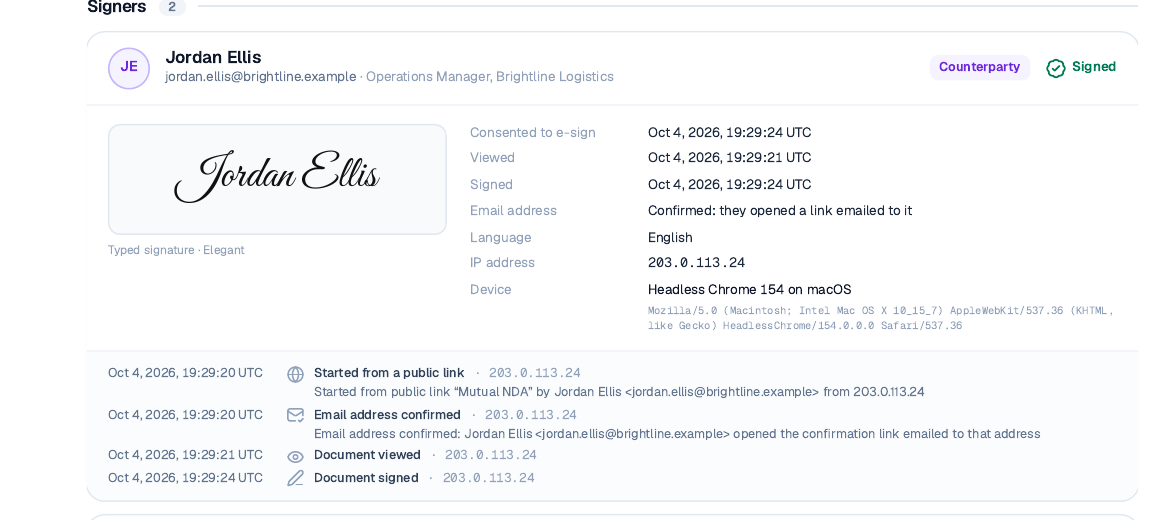
Their Activity starts with where the document came from: the link's name, the person, their email and their IP address, and whether they confirmed their email.
The Certificate of Completion at the end of the signed PDF shows the same, and for that signer says whether their email address was confirmed.
Turn it off, make a new link, and limits
- Turn it off: switch the link off in the panel. It stops at once, including on your website; documents already started carry on.
- New link: makes a new address. The old one, and confirmation emails sent from it that haven't been opened, stop working right away. Update your website and QR codes.
- A template with a link that's on can't be deleted. Turn the link off first.
- To protect your link and your email reputation, each network, each link and each email address can only use it a few times in a short while, bots are filtered out, and a link that's off or replaced looks the same as one that never existed.
- Signed in as someone at your company, you can open a link that's off to preview it. Nobody else can.
On the website: No CRM needed·Pricing