
Locked sections
Which parts of a document customers can edit, and which they can only ask to change.
2 sections · 3 screenshots
What's locked by default
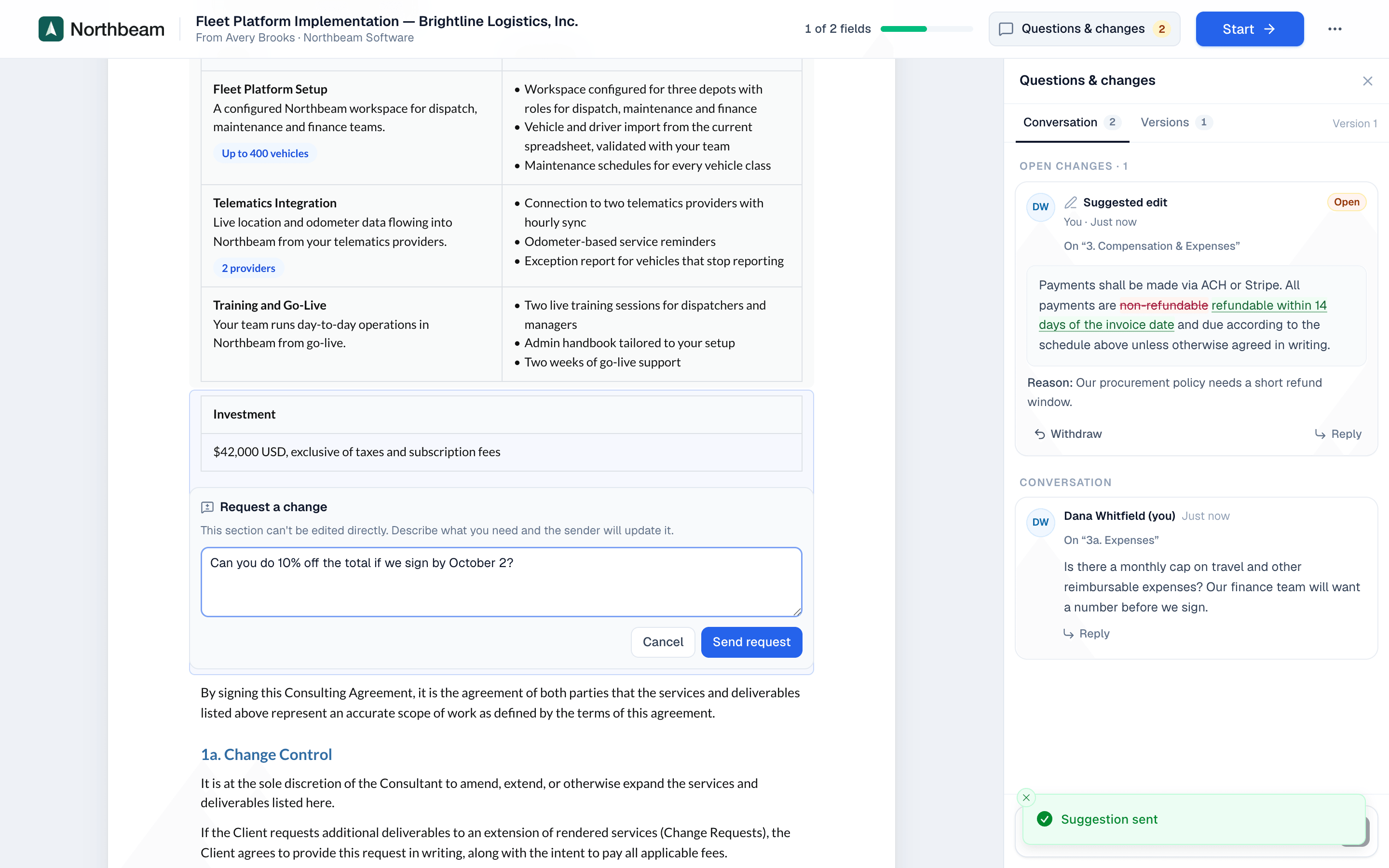
Customers can suggest edits to text blocks. Blocks that carry numbers or signatures are locked, so the customer can only request a change:
- Pricing table
- Payment schedule
- Signature block
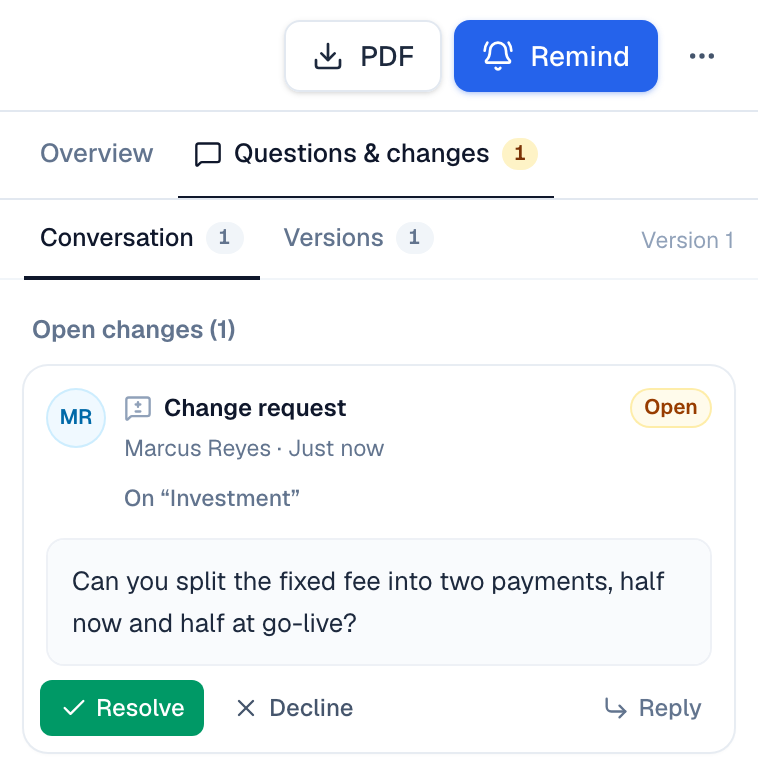
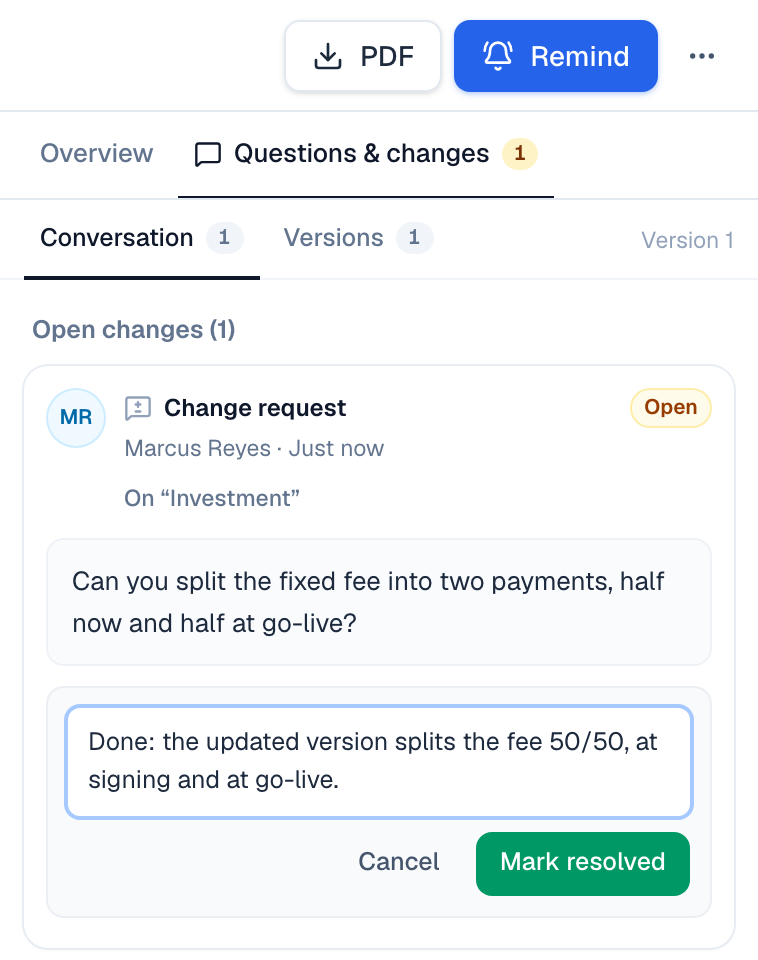
Handling a request on a locked section
- Read the request in Questions & changes.
- Make the change where it belongs: on the quote in Salesforce, or on a revision of the document.
- Choose Resolve on the request, add a note for the customer and choose Mark resolved. Or choose Decline and say why.
On the website: No CRM needed·Pricing