
Use Tally Sign from Claude or ChatGPT
Connect your AI app once, then ask for NDAs, SOWs or the order form for a Salesforce quote in plain English.
6 sections · 3 screenshots
Tally Sign has a built-in MCP server, the standard way AI apps use other tools. Once connected, you can ask for documents the way you'd ask a coworker. The AI drafts them in Tally Sign, gives you a link to check, and always asks before sending anything for signature.
How it works
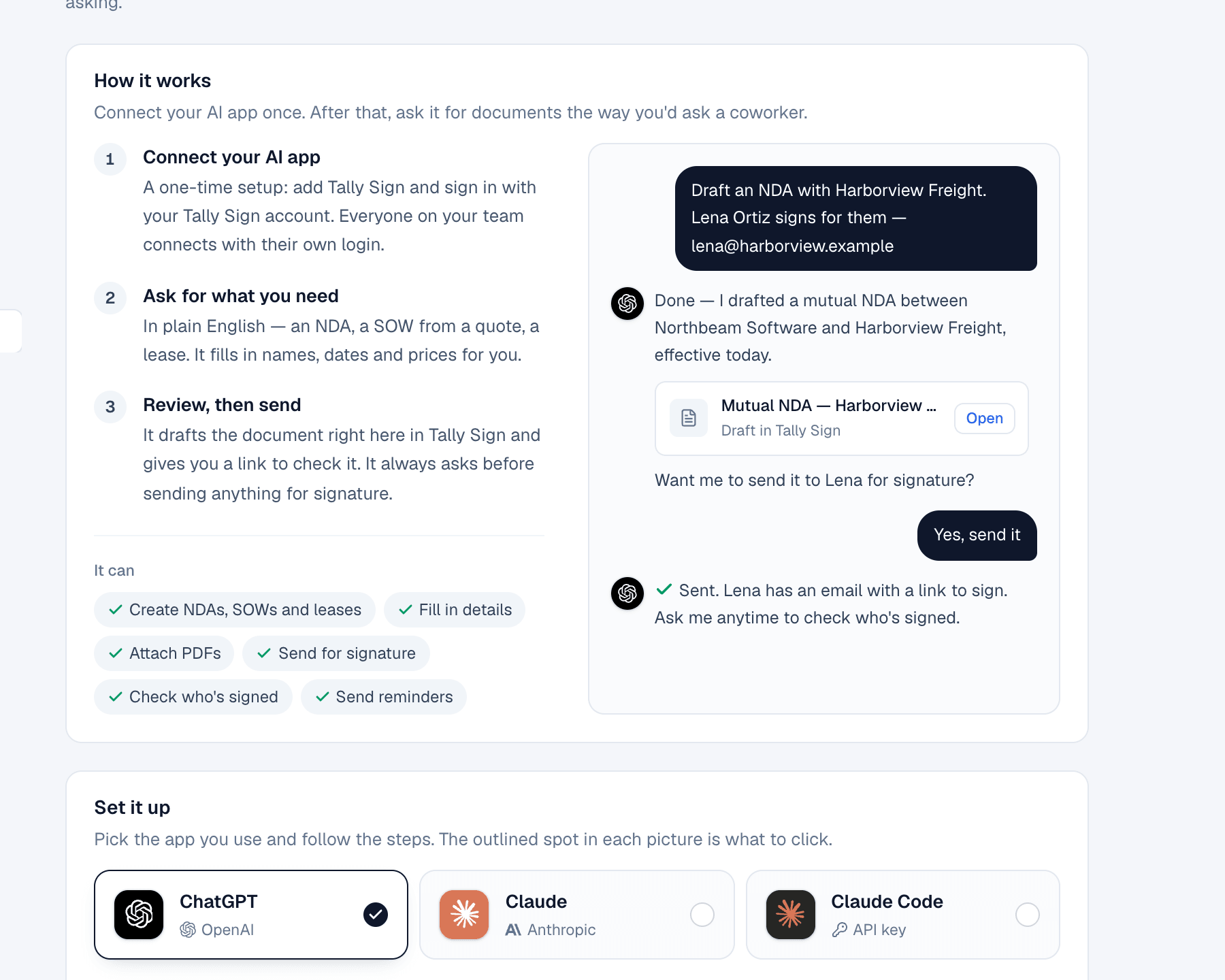
- Connect your AI app. A one-time setup. Everyone on your team connects with their own login.
- Ask for what you need. An NDA, a SOW from a quote, the order form for a Salesforce quote.
- Review, then send. The AI shows you the draft. It sends only after you say so.
Connect ChatGPT
You don't need to find the setting yourself. Ask ChatGPT to add Tally Sign for you.
- In Settings → AI & API, choose ChatGPT and copy the setup message. It already has your MCP address in it.
- Start a new chat in ChatGPT and send the message. ChatGPT creates the Tally Sign app.
- A Tally Sign window opens. Sign in the way you usually do (email and password, Sign in with SSO, Salesforce, Google or Microsoft) and choose Allow access.
- Ask for what you need. If ChatGPT doesn't use Tally Sign, choose + in the message box and switch on Tally Sign.
Create an app called Tally Sign for me. MCP server URL: https://<your Tally Sign address>/api/mcp — Authentication: OAuth.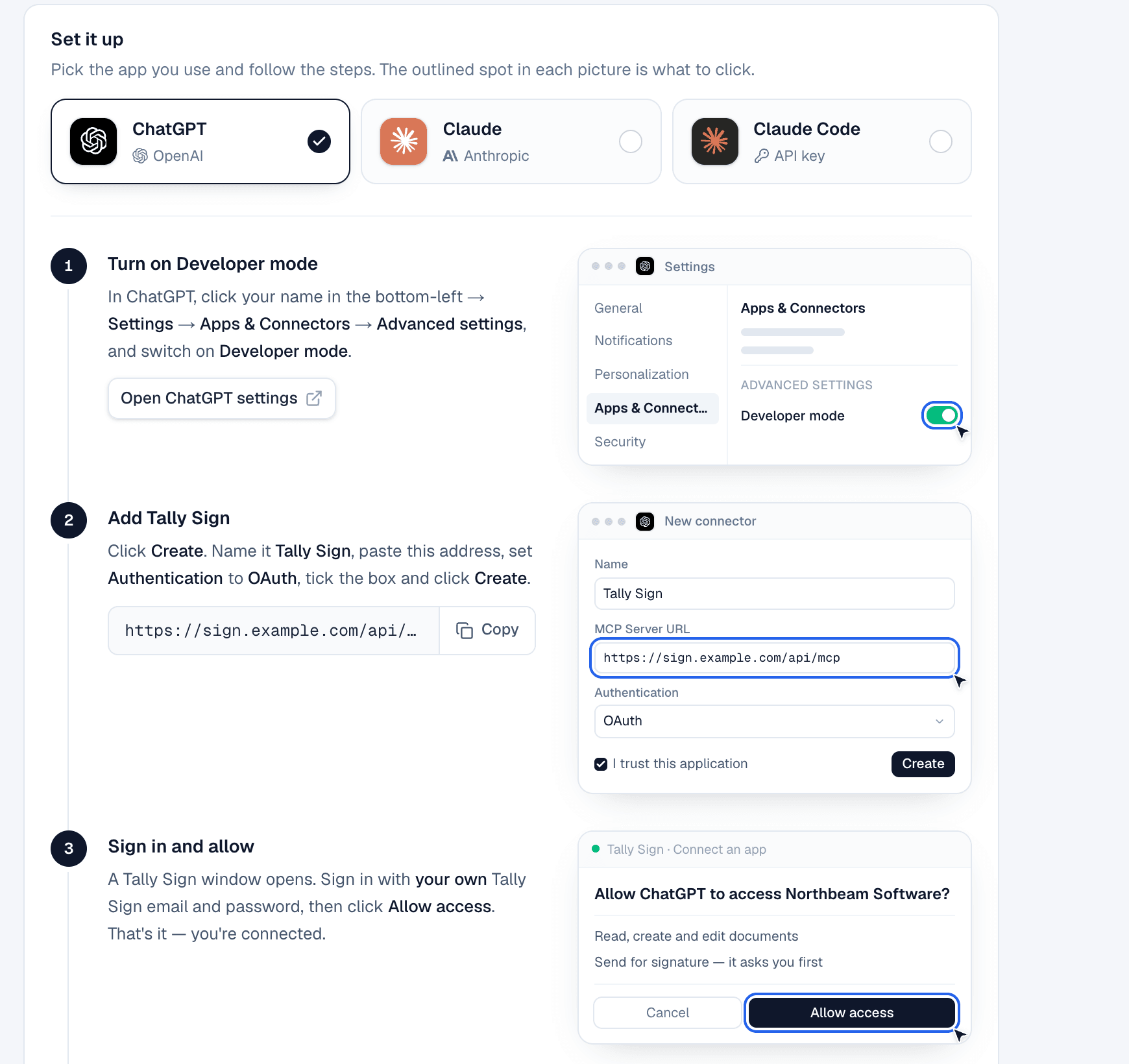
Connect Claude
- In Claude, open Settings → Connectors and choose Add custom connector.
- Paste the MCP address from Settings → AI & API and choose Connect.
- Sign in to Tally Sign the way you usually do and choose Allow access.
For Claude Code, create an API key in Settings → AI & API → Claude Code and run the command it shows once in a terminal:
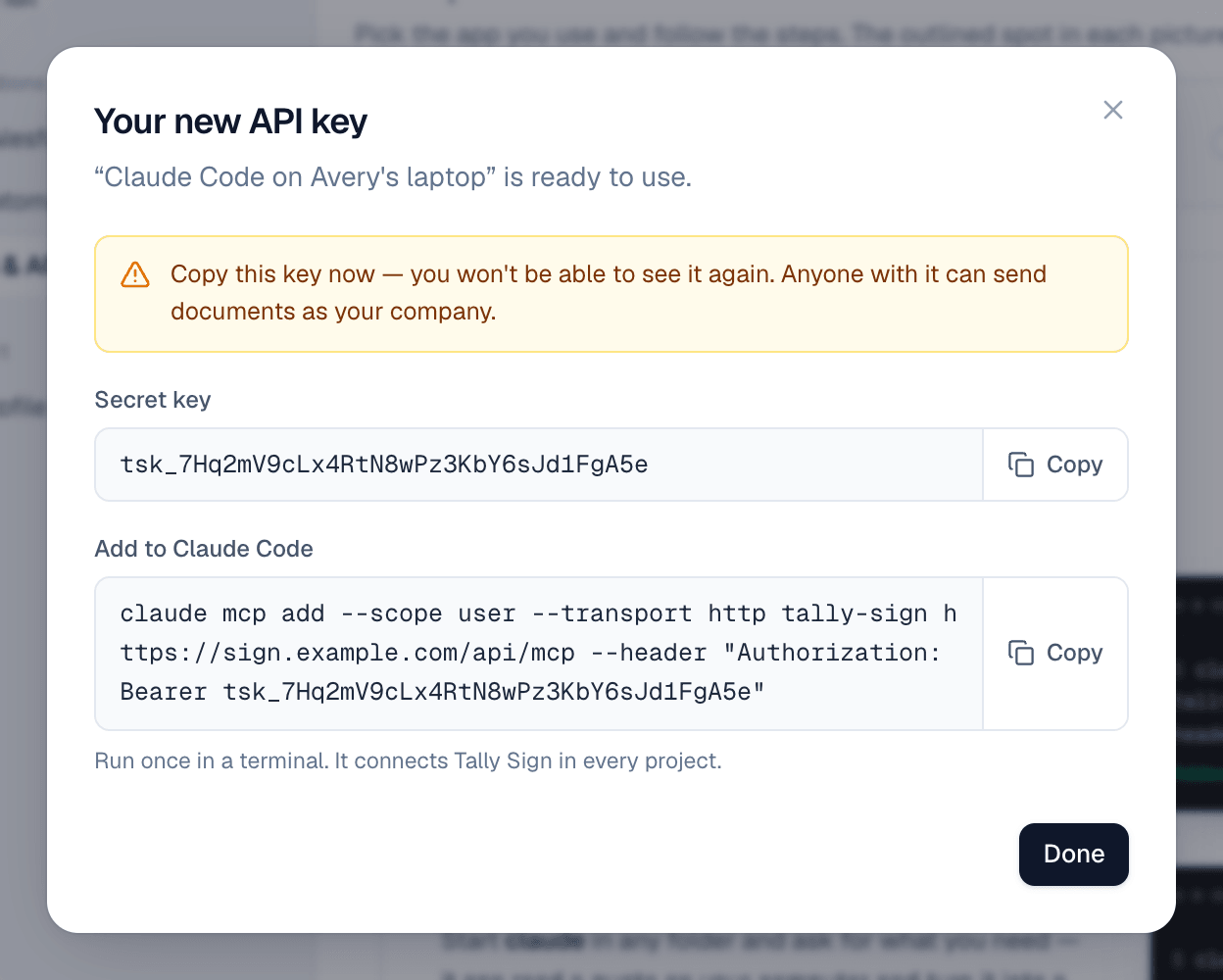
claude mcp add --scope user --transport http tally-sign https://<your Tally Sign address>/api/mcp \
--header "Authorization: Bearer <your key>"Send the order form for a Salesforce quote
With Salesforce connected, the AI can find records, preview a template filled from them and create the document, linked back to the record. Until Salesforce is connected, these tools just say that an admin needs to connect it in Settings → Salesforce. With a sandbox and production connected, the AI works with production.
Send the order form for the Brightline Yard Sensors quote to Dana.The AI then:
- Finds the quote with salesforce_search_records.
- Picks the template linked to Quote with list_templates.
- Checks the filled document with salesforce_preview: merge values, signers found and quote lines. It tells you about anything missing.
- Creates a draft with create_from_salesforce and shows you the link.
- Sends it only after you confirm.
Status, the signed PDF and the quote-to-cash steps then flow back to Salesforce exactly as if the rep had sent it from the quote.
Things to ask
- "Draft a mutual NDA with Harborview Freight. Lena Ortiz signs for them, lena@harborview.example."
- "Turn this estimate into a SOW for Dana Whitfield at Brightline Logistics and attach the PDF as Exhibit A."
- "Who hasn't signed the Brightline order form yet? Send them a reminder."
- "Void the Driver Training order form. The customer is doing training in-house."
- "Get me the signed PDF of the Brightline Depot Rollout order form."
What the AI can do
| Area | Tools |
|---|---|
| Find | list_templates, list_documents, get_document, get_status |
| Create | create_document, create_sow, create_nda, create_lease, duplicate_document |
| Edit drafts | update_document, set_recipients, edit_blocks, attach_pdf, check_document |
| Send and follow up | send_document (only after you approve), send_reminder, void_document, get_pdf_link |
| Salesforce (when connected) | salesforce_search_records, salesforce_preview, create_from_salesforce |
On the website: ChatGPT, Claude and MCP·Pricing